


Fish Deeper - Fishing App
4.4240.00 Reviews
App Specs
- Version
- 2.6.2
- Updated On
- License
- Free
- Downloads
- 1,000,000+
- Developer
- Deeper, UAB
- Categories
- Sports
- Platform
- Android, iOS
Screenshots
 Analysis by AppCompare
Have you ever found yourself sitting by the lake, fishing rod in hand, wishing you had some kind of magical insight into the underwater world? Well, my fellow anglers, let me introduce you to Fish Deeper - Fishing App. This little gem is like having a fish whisperer right in your pocket, and I’m here to give you the lowdown on why it’s a must-have for any fishing enthusiast.
When a connection matters on the water
The app’s most useful moments are tied to getting information from a Deeper sonar device and turning it into something you can act on at the bank or in a boat. That makes connectivity part of the fishing routine, not just a setup detail. Before relying on a scan to choose where to cast, I’d check that the phone and sonar are communicating properly and that the app is showing fresh information rather than assuming the screen is current.
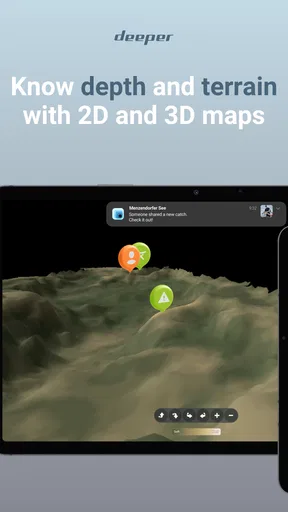
This also changes how I’d plan a trip. If I’m heading to a new lake, I’d open the app before leaving home, look over the depth maps, and decide which areas are worth checking first. Once at the water, sonar can help investigate a promising stretch, while the map gives the readings a wider context. The two views answer different questions: one helps me understand the water beneath the device, and the other helps me think about where that spot sits in the lake.
I wouldn’t treat a fish symbol as a promise of a catch. Sonar information is a clue to interpret alongside conditions, presentation, and what I know about the species I’m targeting. That distinction matters because the app can make searching more informed, but it cannot make every fish bite. For me, its strongest contribution is reducing aimless exploration rather than replacing fishing judgement.
Getting to Know Fish Deeper
If you're not familiar with Fish Deeper - Fishing App, let me break it down for you. This app is designed to work seamlessly with the Deeper sonar devices, giving you a detailed view of the water’s depths, fish locations, and even the underwater structure. Think of it as your personal assistant, providing real-time data to enhance your fishing experience.
Setting Up and First Impressions
First things first, setting up the app is a breeze. I downloaded it from the Play Store on Android, but it’s also available on iOS. Once you pair it with your Deeper sonar, the app comes to life. The interface is clean and intuitive, making it easy for even the most tech-challenged among us to navigate. You’ll find a dashboard that displays all the essential info: depth, temperature, and fish locations.
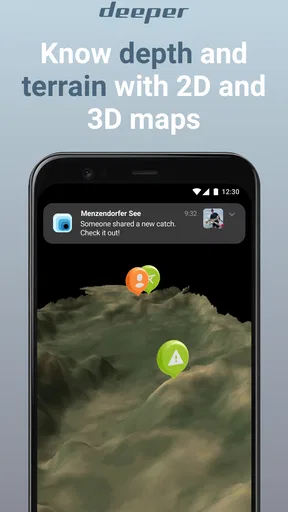
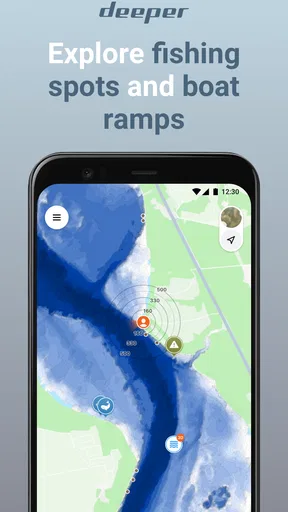
What really caught my eye, though, was the map feature. It’s interactive, allowing you to mark your favorite fishing spots and track your journey on the water. This is a game-changer for those of us who love exploring new fishing locations but hate losing track of where we’ve been.
Worth Reading Before You Choose

Flipboard Shows What News Apps Must Do Beyond the Feed

Switching to Android Auto Means Rethinking Your Driving Routine

Google Calendar Makes a Crowded Week Easier to Manage

Ludo King Makes the Most of the Minutes Between Plans

Baby Panda World Brings Quick Play to Modern Phones, but Its Game Library Feels Busy

ESPN’s Live Game View Makes Following Close Games Easier
Making the phone work for the fishing trip
On a small bank-fishing session, I’d keep the phone somewhere easy to reach but protected from splashes, then check it briefly between casts rather than stare at it continuously. That is a practical trade-off: the screen can inform a decision, but watching it too closely takes attention away from line, float, and surroundings. A boat trip gives more room to compare a scan with the route and nearby structure, while a short walk to a familiar pond may not justify bringing extra equipment at all.
For a first visit to unfamiliar water, I’d use a simple sequence: explore the depth map before choosing a launch or casting area, scan a manageable stretch, then mark the places that seem worth revisiting. I would avoid marking every scan as a favourite. A small set of meaningful pins is easier to use on the next trip than a crowded map of places that looked interesting for different reasons. Notes can add context, such as what I tried or what conditions were like, so a saved location becomes more useful than a dot alone.
This approach also helps answer a common practical question: does the app make sense without a sonar device? Its maps and planning role can still be relevant, but the live underwater picture described here depends on pairing with Deeper sonar. If your main goal is simply to save a few familiar locations or check general conditions, a basic mapping or weather tool may be enough. The case for this app is strongest when you intend to use its sonar connection as part of finding and evaluating spots.
Features That Hook You In
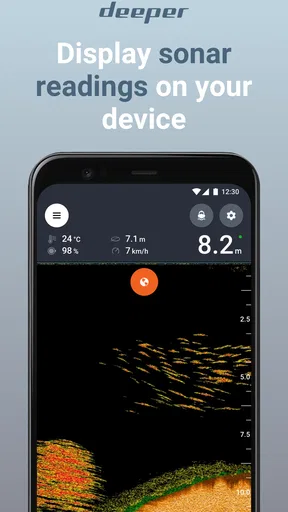
Now, let’s dive into some of the features that make this app stand out. The real-time sonar data is incredibly accurate. As you scan the waters, you can see exactly where the fish are hiding. It’s almost like having X-ray vision, and trust me, it can turn a slow day of fishing into a successful one.
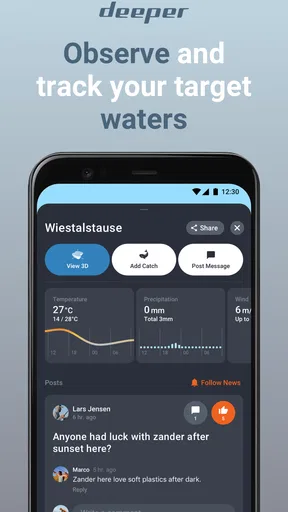
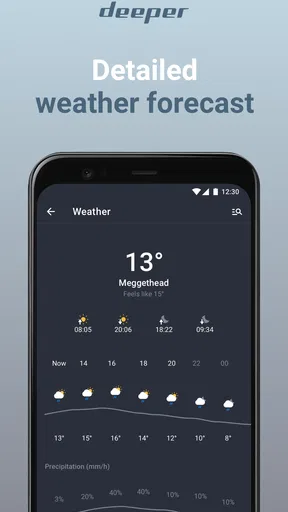
Another feature worth mentioning is the weather forecast integration. Being prepared for the elements is crucial, and having this info at your fingertips means you can plan your fishing trips more effectively. The app provides not just the weather, but also the moon phases and solunar calendar. For those who believe in fishing by the moon, this is a neat addition.
When the session doesn’t go to plan
Any connected setup can become a source of friction if the phone and sonar stop communicating, the battery runs low, or a screen becomes hard to read outdoors. I’d treat the app as a useful aid, not the only way to navigate or make decisions. If readings stop updating, I’d pause before acting on them, check the connection and device status, and reconnect according to the equipment’s normal setup process. Until the display is clearly current again, I’d rely on familiar landmarks and ordinary fishing judgement rather than a stale scan.
A sensible recovery habit is to avoid changing several things at once. I’d first make sure the app is open and the paired device is available, then see whether the display resumes. If it does not, restarting the connection or app is a more controlled next step than repeatedly tapping around while moving on the water. This is especially important from a boat: keep attention on safe handling and surroundings, and sort out the phone only when it is sensible to do so.
I would also prepare for a dead or wet phone before leaving, rather than discovering the problem mid-session. That means keeping the route and return plan in mind without depending entirely on the screen, and protecting the device from water as best I can. The app can enrich a trip, but it should not become a safety tool or a substitute for knowing where I am.
Personal Experience on the Water
Using the app on my recent trip was an eye-opener. I was at my usual spot, casting lines, when I noticed the sonar showing a cluster of fish a bit further out. I moved my boat and, sure enough, I was reeling them in one after the other. It felt like the app had given me a secret advantage over the fish.
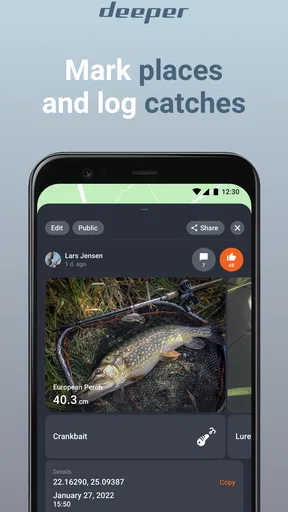
Another time, I was trying out a new lake. Normally, I’d spend hours figuring out the best spots, but with the map feature, I could quickly identify potential hotspots. The app even lets you keep a log of your catches, complete with photos and notes, which is perfect for bragging rights or just keeping a personal record.
Who gets the most from it
I’d recommend it most to anglers who already own, or genuinely plan to use, a Deeper sonar device and who enjoy learning how a lake changes from one area to another. It is especially useful for people who revisit the same waters: saved locations and catch records can help turn separate outings into a personal reference, rather than a string of memories that are hard to compare. New anglers can also benefit, provided they see sonar as a learning aid and not a shortcut to guaranteed results.
It is less compelling for someone who fishes casually at a single familiar spot, has no interest in sonar, or wants a simple forecast without another device to manage. In those cases, ordinary maps, a notebook, or a weather app may be lighter choices. Likewise, if you prefer to fish by feel and keep the phone packed away, the connected workflow may feel like extra preparation rather than an improvement.
There is a small but worthwhile data-conscious habit here: prepare maps and trip plans while you have a dependable connection, and avoid unnecessary browsing once you are out fishing. I would also keep catch photos and notes purposeful, because a log is only valuable if it remains easy to search and understand later. On a long day, limiting screen checks can save attention and help the phone last for the parts of the session when the display is genuinely useful.
What the app costs and what to expect
Fish Deeper is a free sports app from Deeper, UAB, with in-app purchases listed from $5.99 to $59.99 per item. I’d separate the app’s price from the wider cost of using sonar: the companion software may be free to install, but the live sonar workflow relies on compatible hardware. That is an important distinction for anyone comparing it with a free map app, which may not offer the same underwater view but also does not require the same equipment commitment.
The app has a 4.3 average from around 14,000 ratings, and it has been installed over a million times. It is rated for Everyone. Its current version is 2.0.4, and it was released on November 28, 2019. Those details suggest an established product, but they do not tell me whether it suits a particular fishing style; the deciding question is whether you will actually use the maps, records, and sonar connection often enough to make them part of your routine.
Final Thoughts
So, is Fish Deeper - Fishing App worth it? Absolutely. Whether you’re a seasoned pro or a weekend hobbyist, this app enhances your fishing experience tenfold. It’s like having an extra set of eyes underwater, guiding you to the best spots and keeping you informed with real-time data.
What I love most is that it brings a new level of excitement to fishing. Every trip feels like an adventure, with the app providing insights that you’d never get from just looking at the water. So, if you haven’t already, give Fish Deeper - Fishing App a try. Grab your gear, fire up the app, and get ready to catch more than just a good time.
My connectivity verdict
For me, the app makes most sense when the phone, sonar, and fishing plan work together: maps help narrow the search, a live scan gives a closer look, and saved notes make later visits more informed. Its connected nature is also its main caveat. I would not choose it as a replacement for basic preparation, reliable equipment, or personal judgement, and I would not expect a screen to solve a difficult day by itself.
If you already use Deeper sonar and want a practical way to interpret locations and keep track of outings, I think it is worth trying. If you want a standalone fishing companion with no hardware involved, start with a simpler map or forecast option instead. That is the clearest way to decide: choose Fish Deeper when its connection to sonar is a feature you will use, not merely because more information sounds appealing.
Pros
- Accurate depth readings enhance fishing precision.
- User-friendly interface simplifies usage for all.
- Real-time data updates keep information current.
- Extensive fish database aids in species identification.
- GPS integration allows for efficient trip planning.
Cons
- Requires a stable internet connection for full features.
- Battery consumption is high during extended use.
- Certain features are premium and require payment.
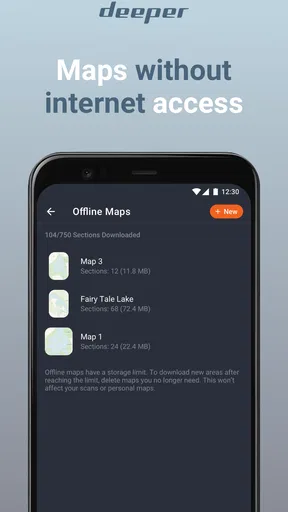
- Limited offline functionality reduces accessibility.
- Device compatibility issues on older smartphones.
FAQs for Fish Deeper - Fishing App
What features does Fish Deeper offer for fishing enthusiasts?
Fish Deeper provides a comprehensive suite of features for fishing enthusiasts, including real-time sonar data, detailed mapping of lakes and rivers, and the ability to mark hotspots and log catches. The app also provides weather forecasts and moon phase information to help plan fishing trips effectively.
Is Fish Deeper compatible with all devices and platforms?
Fish Deeper is available on both Android and iOS platforms, making it accessible to a wide range of users. However, it's important to ensure your device meets the app's minimum system requirements for optimal performance, which usually includes a recent operating system version and sufficient storage space.
How does the app enhance the fishing experience?
Fish Deeper enhances the fishing experience by providing users with advanced sonar technology to locate fish and understand underwater structures. This information can significantly increase the chances of a successful fishing trip. The app also allows users to log their catches and track their fishing history.
Are there any subscription fees or in-app purchases in Fish Deeper?
While Fish Deeper offers a free version with basic features, there are premium subscriptions available that unlock additional functionalities like advanced mapping options and detailed sonar views. Users should review the app’s pricing details to understand what features are included in their subscription.
How reliable is the Fish Deeper app for beginners?
Fish Deeper is designed to be user-friendly and accessible even for beginners. The app includes tutorials and a comprehensive help section to guide new users through its features. However, some understanding of fishing and sonar technology can enhance the overall experience and effectiveness of the app.


